I loved this app so much I reverse-engineered it
I have a soft spot for apps that are just really well made. Box Box, a little Formula 1 companion app, is one of them. Its home-screen widgets in particular are lovely, and some of the best ones sit behind a Pro subscription.
I didn't start this to get anything for free. I liked the app, and I got curious about how something this polished is actually wired up underneath. It's closed source, so the only way to look was to open up the compiled app and read the code. Somewhere in there the curiosity narrowed to one thing, could I change the part that decides whether you're a paying user, and it turned out I could, by changing a single value the app reads off the phone.
What follows is the path I actually took: where I started, the turns that went nowhere, the one line that made everything click, and a short section at the end on what would make this harder to do. I'm passing that last part to the Box Box team as well.
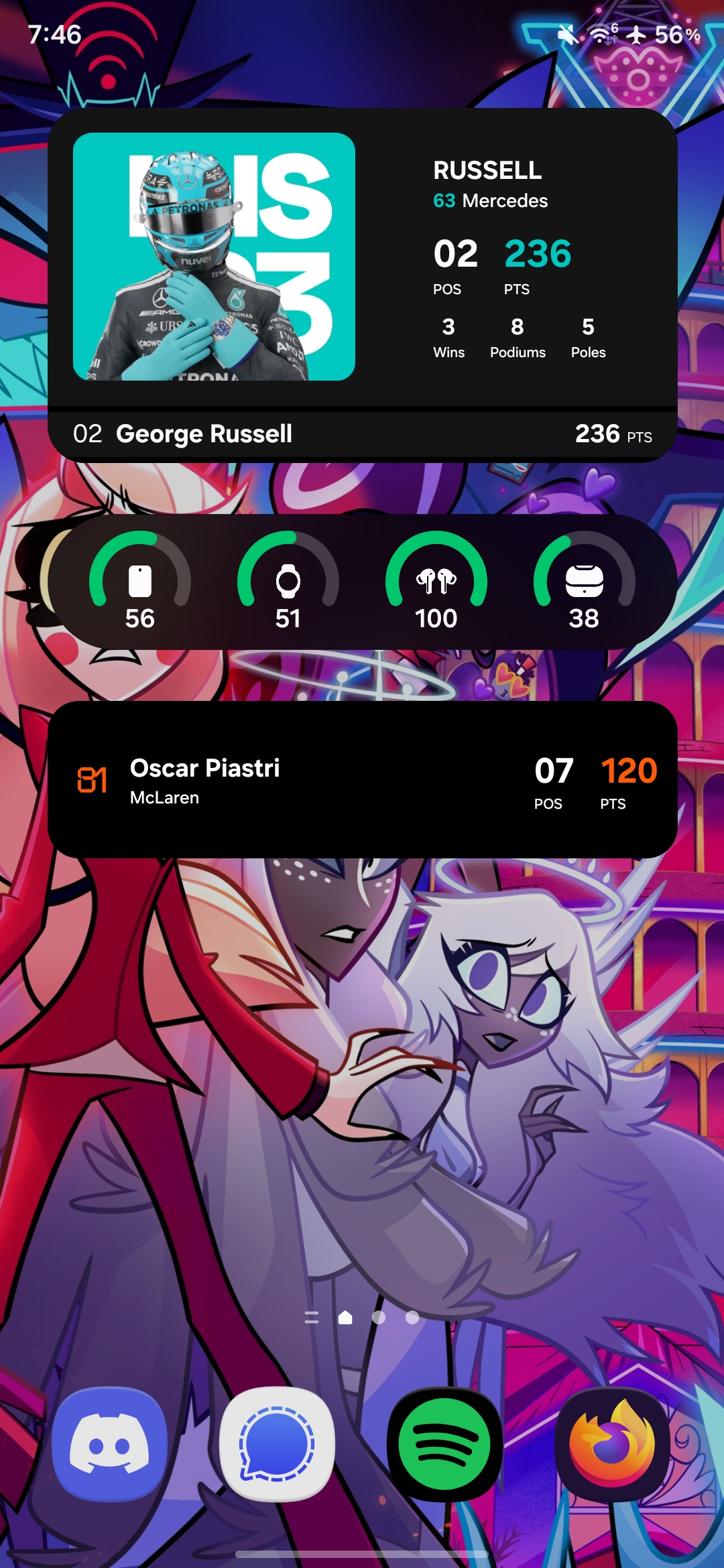
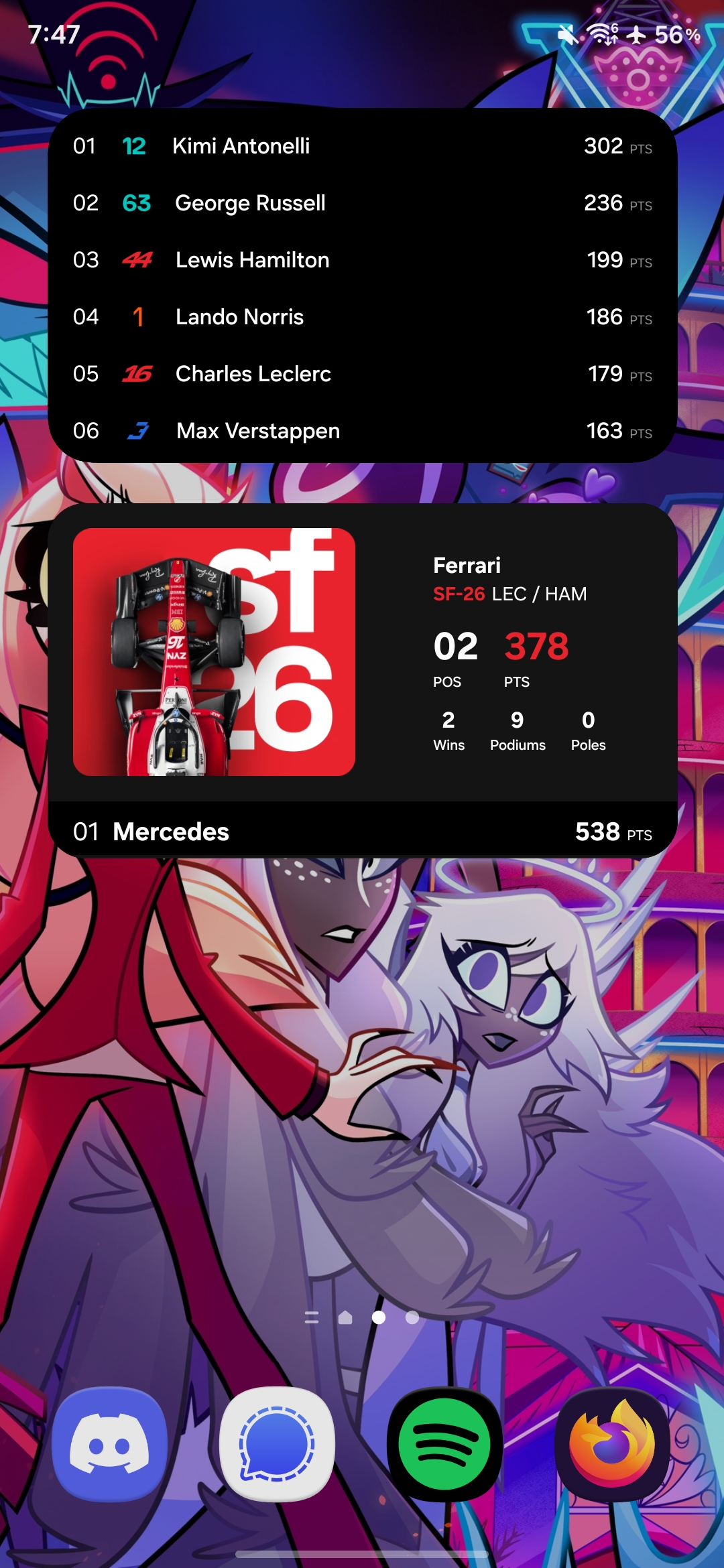
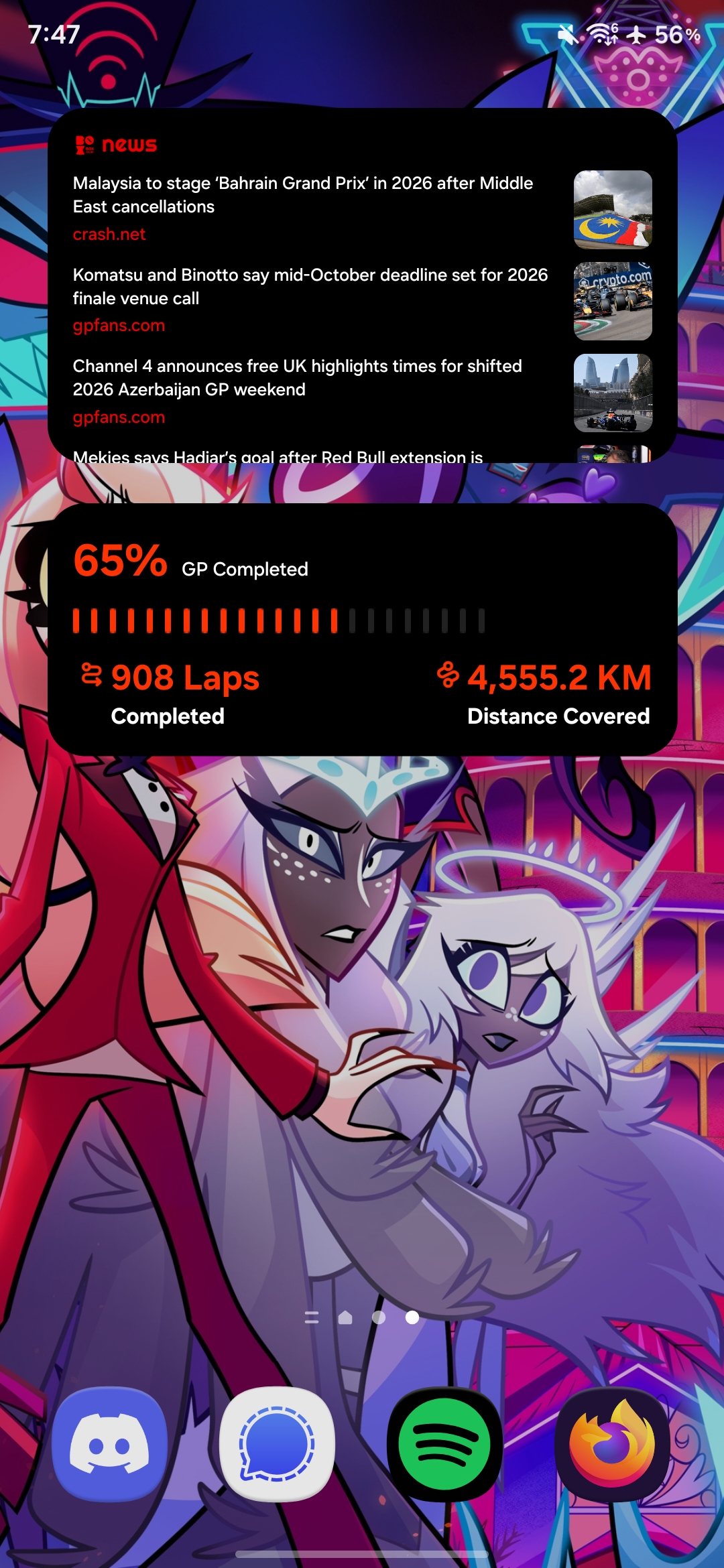
The whole thing in four lines
- The question
- How does Box Box decide if you can add a Pro widget?
- The answer
- It reads a “Free or Pro” value that's stored on the phone and trusts it.
- The change
- I made the code that reads that value always return “Pro,” then rebuilt the app.
- The result
- Every Pro widget I tried worked.
1. Why this app
Reverse engineering can get genuinely hard. Point it at a big, well-defended app and it's a real fight. But at its calmest it's just this: you have a program, you don't have its source code, and you want to understand what it's really doing inside. For a phone app, “the program” is an APK, the installable package Android ships, and you can pull it off your own device and open it up.
I picked Box Box because its UI is genuinely beautiful, and beautiful things make me want to see how they're built. That was the whole motivation at the start. I wasn't thinking about subscriptions or paywalls at all yet; that only came later, once I was deep enough in the code to wonder whether the Pro check could be nudged. Both are fair game on your own device, and both taught me something.
2. Start with what you can see, not 17,000 classes
I opened the app in JADX. The one thing worth knowing going in: the app was built with R8, so almost every class and method had been renamed to short meaningless names like ec0 and mr1. That's the main thing that makes this a puzzle instead of just reading code.
JADX reported more than 17,000 classes. The tempting move is to search for words like premium, pro, orsubscription and hope one of them lands on the right spot. In an app like this it mostly doesn't, because those readable names were renamed away during the build.
So I went the other way and started from something the app visibly does: tap a Pro widget and, instead of adding it, it opens the subscribe screen. That behaviour has to be triggered by some code, and finding that code drops you right next to the decision itself. It's usually easier to work back from what an app clearly does than to guess at what some variable might be called.
3. Getting my bearings
Every Android app ships a manifest, a list of the screens and background receivers the system is allowed to launch. It's basically a free table of contents. Reading it gave me two ends of the thread to pull on: a widget receiver (the code that handles the schedule widget) and ProPlanActivity, which is clearly the subscription screen.
My first guess was wrong, and I'm keeping it in because it mattered. I followed the widget receiver first, assuming the “are you allowed this widget?” check would live near the widget code. It didn't. That path just loaded race data and drew the widget, no gate anywhere. Useful failure: it told me the permission decision happens when you add a widget, not while it's running. New direction.
(Small practical note that comes back later: Box Box installs as a few files instead of one, a base plus some add-ons, which is normal for modern Android apps. All the actual code is in the base file.)
4. Finding the actual decision
So I traced it from both ends at once. From the widget side I followed “who asks Android to add a widget?” and landed on one small function that handles all thirteen of the app's widgets: it takes a widget type and asks Android to pin it. One central door, not a check per widget. But that function just adds the widget, no subscription check in it at all.
So I kept going up: who calls that function? And from the other direction I followed who opens the subscription screen. Both trails met at the exact same place: one click handler, the code that runs when you tap a widget. That was satisfying, two separate paths converging on the same spot is usually a sign you've found something real.
And that handler does one interesting thing. It looks at two values, your plan and the plan the widget requires, and picks a path. The rule turned out to be simple:
- If you're already Pro, the widget just gets added.
- If you're Free and the widget is Free, it gets added.
- If you're Free and the widget is Pro, you get the subscription screen instead.
So the whole gate comes down to one comparison: your plan versus the widget's plan.
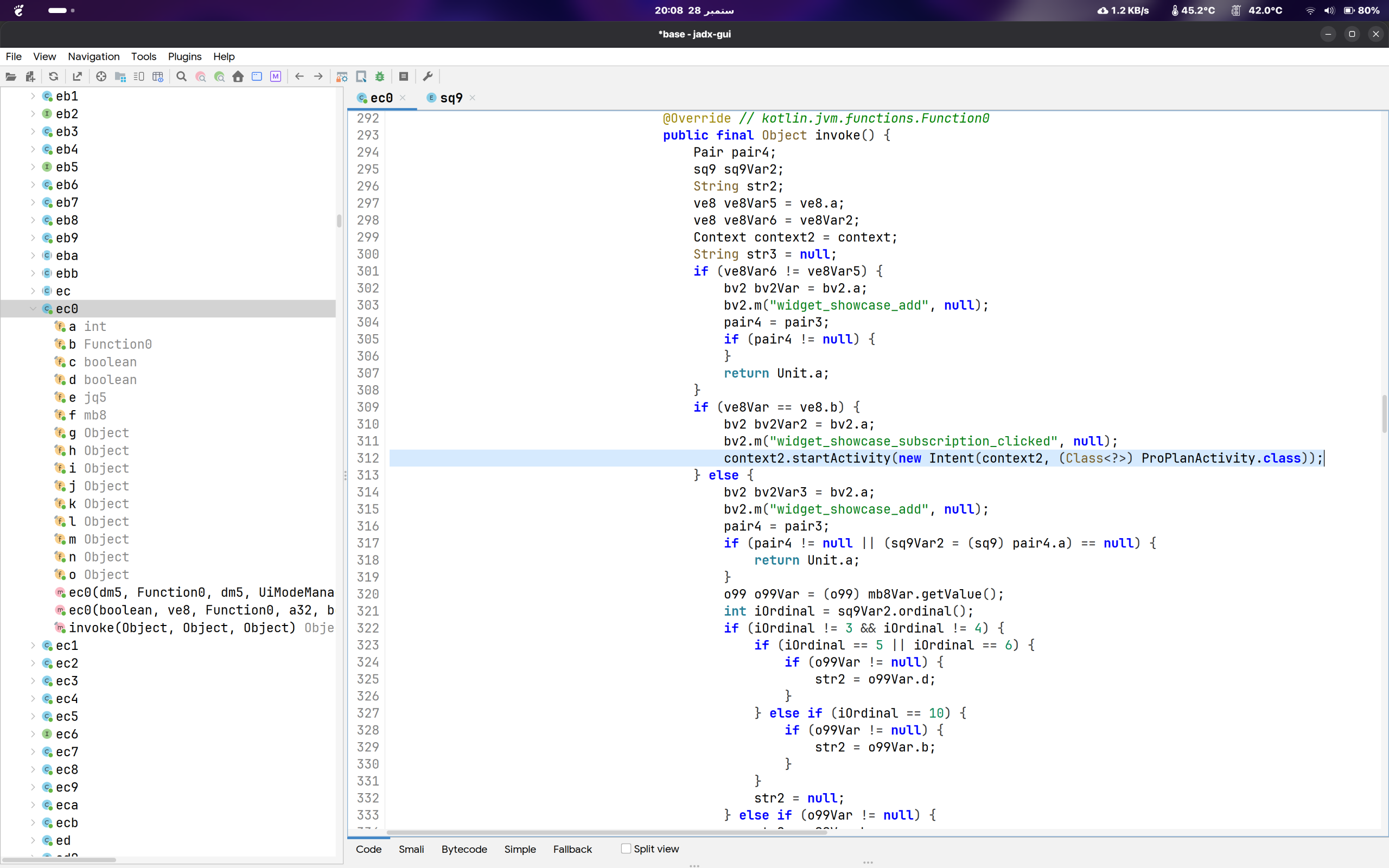
I could have stopped right here and just forced this one comparison to always say “yes.” But that felt like poking the puzzle, not solving it. The more interesting question was: where does “your plan” come from? Find the source of that value and I'd understand the app instead of just tricking one screen. So I kept following it back.
5. Chasing the value to its source
This was the long stretch, class after renamed class. The thing that kept me moving: the readable text usually survives even when the names don't. An app still needs its real string keys at runtime to look things up, so even after every class gets a garbage name, a string like plan_typestays exactly as it was written. So I stopped chasing names and started chasing the strings instead.
And they paid off. The trail led to a small storage class holding these:
"plans_data_store"       a small database on the phone
"plan_type"              the key that holds your plan, as a number
"revenuecat_synced_v1"   a hint that the billing service writes here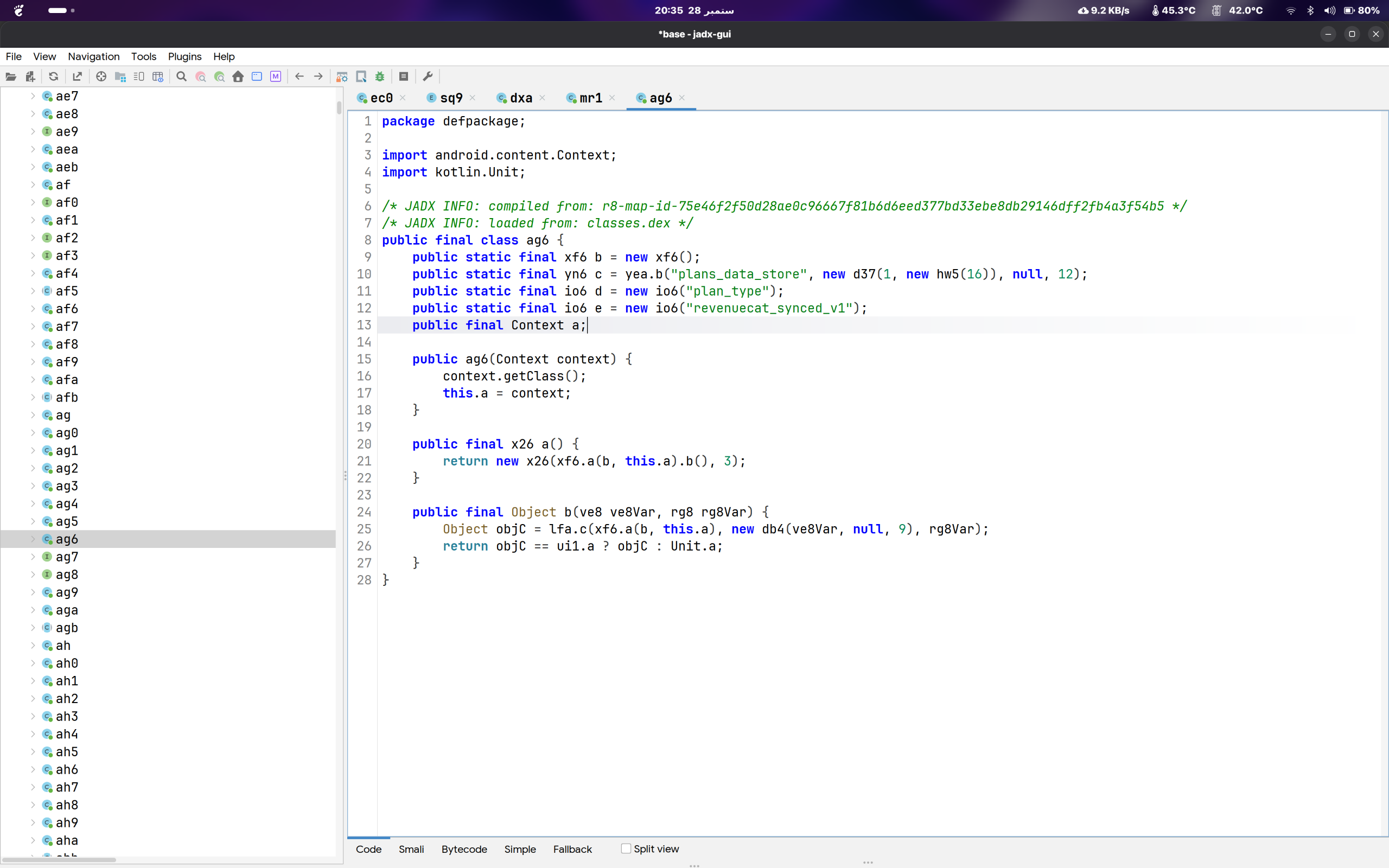
So the app keeps your plan in a tiny local store, as a single number. Nearby I found the enum it maps to, and this was the moment everything clicked: the entire app represents your plan as one of two values, Free or Pro. That's it. Free is stored as 0, Pro as 1, and if nothing's saved yet it defaults to Free. Everything upstream just decides which of those two you are, and everything downstream, including that widget gate, just reacts to it. If I could control that one value, I'd control all of it.
Stripped of the renamed junk, the code that reads it does something this simple:
int saved   = plansDataStore["plan_type"];  // 0 or 1
Plan plan   = Plan.values().get(saved);     // 0 -> Free, 1 -> Pro
emit(plan);                                  // hand it to the rest of the app
That last line matters. It doesn't just return your plan, it pushes it into a stream that the rest of the app listens to. The widget screen, and everything else that cares whether you're Pro, all subscribe to this one reader. Change what it hands out, and the whole app changes its mind about who you are.
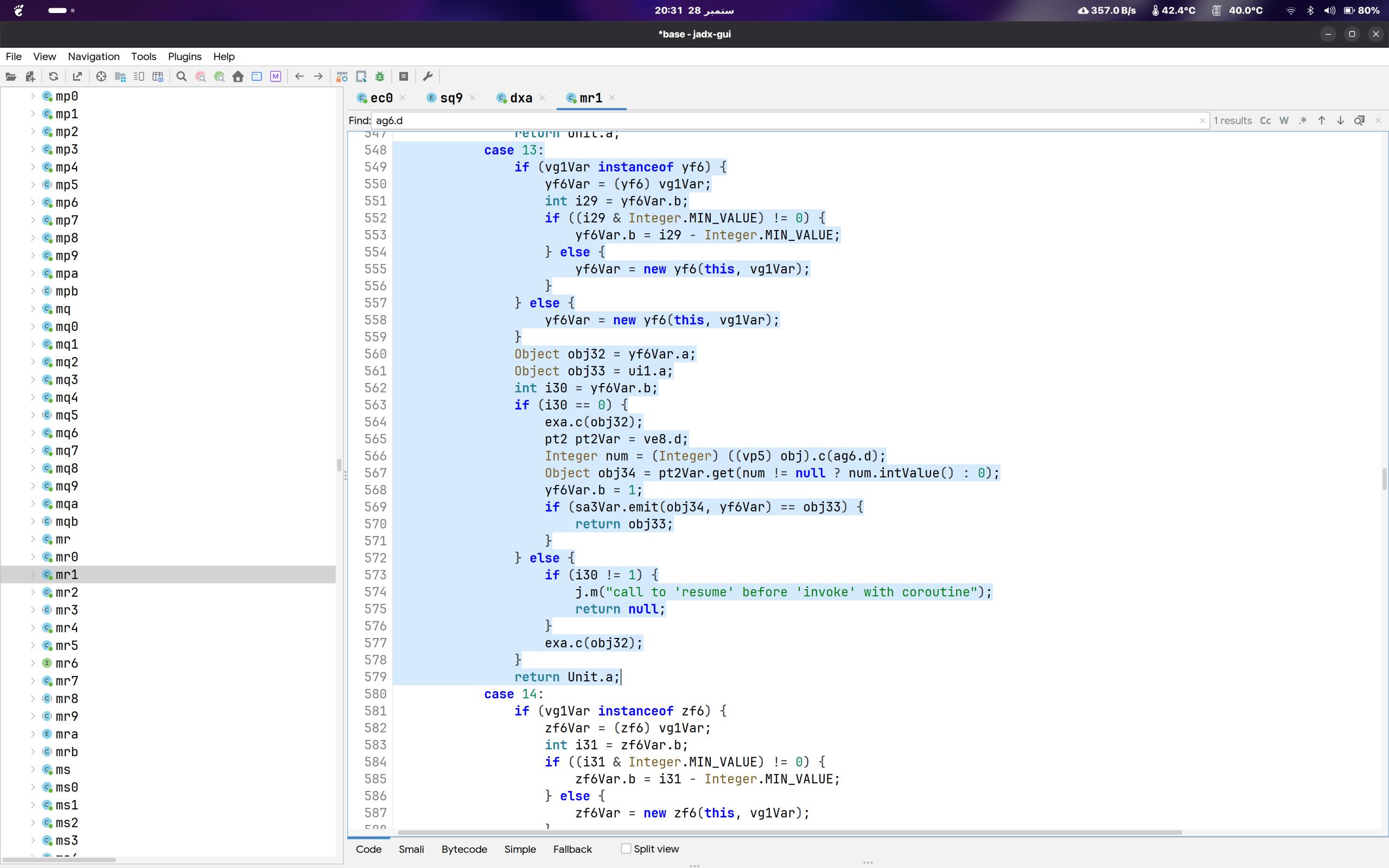
How the saved number becomes “you're Pro”
A number saved on the phone
0 = Free, 1 = Pro
The reader turns it into Free / Pro
This is the one line I changed to always say Pro.
The widget screen checks it
Your plan against what the widget requires.
Free user + Pro widget
Subscription screen
Pro user, or free widget
Add the widget
One honest loose end: revenuecat_synced_v1 strongly implies that the real billing service (RevenueCat) is what normally writes that number after checking your actual subscription. I never fully traced that writer. So I know exactly how the app reads your plan, and only have strong hints about how it gets written. That gap shaped what I did next.
6. The one change
I had a prediction: if this one value controls Pro access, then making the reader always hand out “Pro” should unlock the Pro widgets, without touching the paywall check at all.
I deliberately changed the reader, not the saved number and not the paywall comparison. The saved number could get overwritten the moment RevenueCat syncs, and the paywall comparison is only one of many places that trust your plan. The reader is the one spot everything else listens to. Change it once and you've changed everyone, and it survives a later sync.
Here's the entire change. The reader normally does this:
Plan.values().get(saved) // saved is the stored number, 0 or 1I made it always read slot 1, the Pro slot:
Plan.values().get(1) // always ProIn the app's actual low-level instructions this was a single added instruction, const/4 v4, 0x1, dropped in right before the lookup so it ignores the saved number and hands back Pro every time. That was the whole trick. One instruction. I didn't touch the paywall check, didn't touch the stored value, didn't touch RevenueCat. I just made the reader always say Pro, and because every part of the app that cares about your plan listens to that one reader, the whole app started treating me as Pro.
Then it was the usual rebuild-and-install dance: repackage the app, sign it, put it on my phone, and test it while logged out so nothing could sync a real plan over the top and muddy the result.
7. What actually happened
I opened the widget picker, went straight for a widget I knew was Pro-only, braced for the subscription screen, and got the normal Android “Add widget” dialog instead. It just worked. So did every other Pro widget I tried, and since the app is essentially all widgets, that covered just about everything paid.
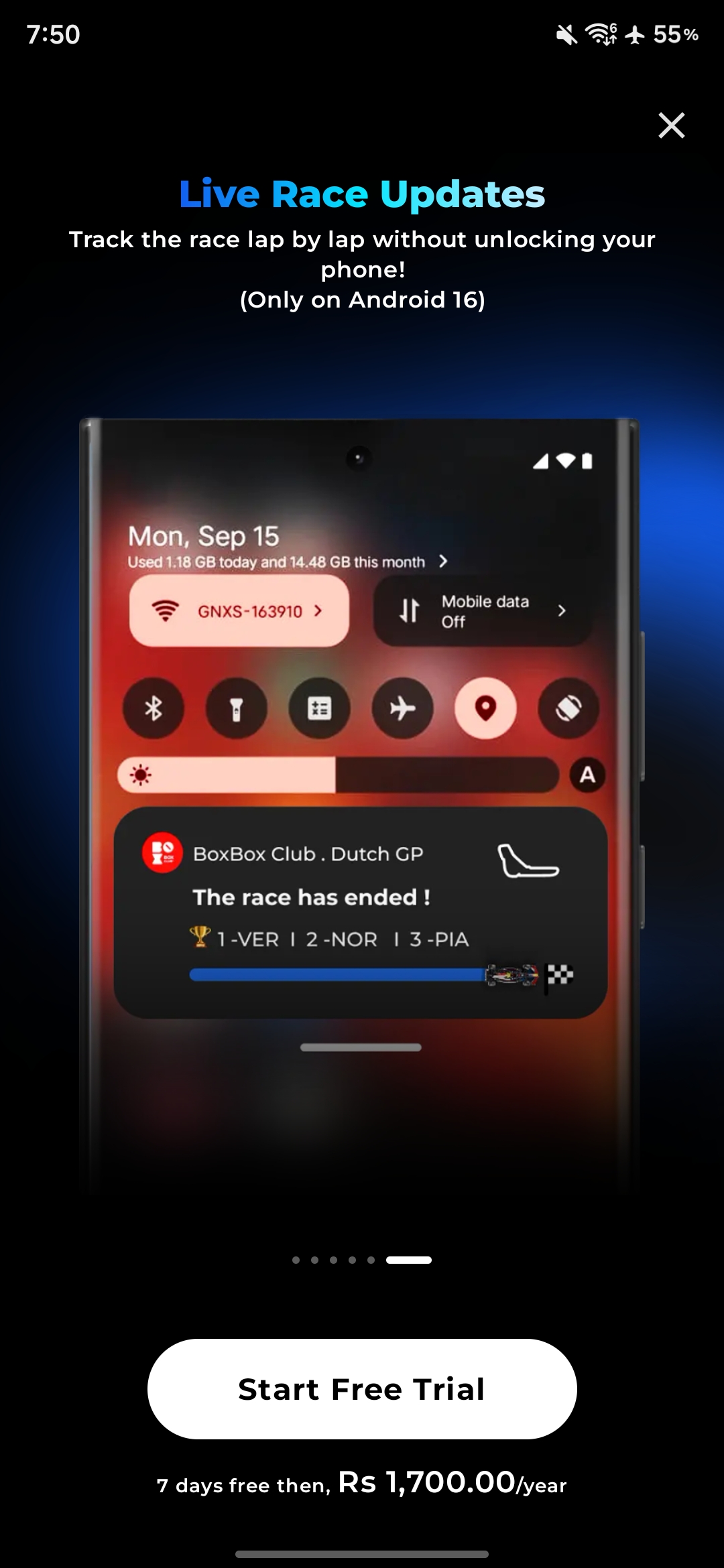
The real app: this widget wants a subscription
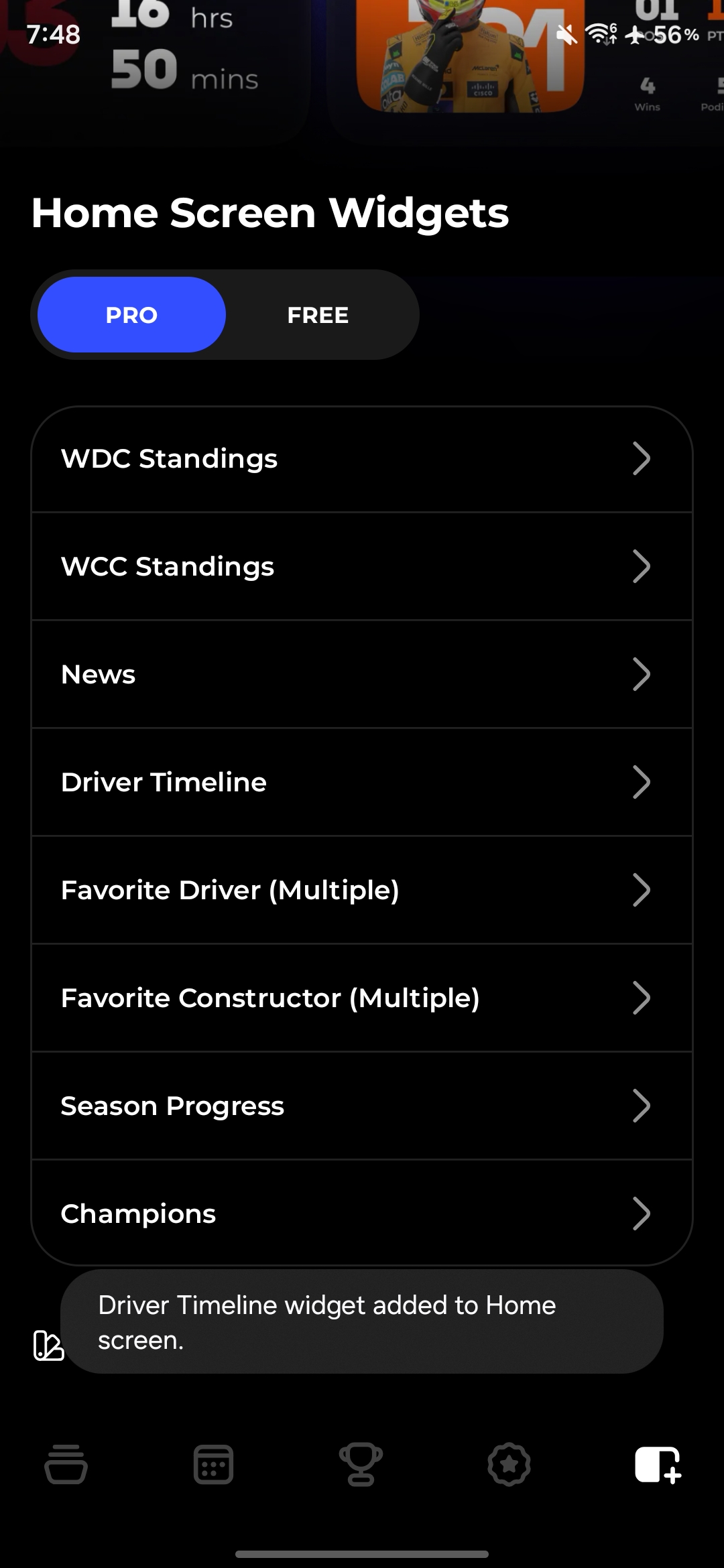
My patched build: the Pro widget just gets added
The only things that broke were login, sign-up, and updating the app. That's expected, not mysterious: rebuilding the app means re-signing it with my own key, and those flows check the app's signature and reject a build that isn't the official one. The widgets, which are the entire point of the app, all worked. Getting the signature-checked parts happy too is a separate trick I might come back to later.
So, in one line: changing the plan value the app reads off the phone was enough to unlock the Pro widgets. That's the finding, and it's the kind of thing a developer would want to know about their own app.
8. What I'd change if it were mine
Here's the part I'd actually want to hear if this were my app. The renaming did its job of slowing me down, but it never stopped me, because renaming hides where a decision is, not the fact that the decision is made on a device I fully control. The real issue is what the app trusts:
The one-line takeaway
A value the app computes and stores on the phone is a value the phone's owner can change. Right now “are you Pro?” is answered entirely on the device, from a single number, and one reader turns that number into the answer the whole app believes.
Concretely, if I were on the team, I'd change a few things:
- Don't decide “are you Pro?” from a number saved on the phone. The app reads that saved number and believes it, but it is only a copy of what the billing service last reported, and anyone can edit what is on their own phone. When someone actually tries to use a Pro feature, ask the real source right then (the billing service, or your own server) whether they are really paying, instead of trusting the copy.
- Make the server do the checking for anything it sends back. Several of the widgets pull live data from Box Box's own servers (standings, schedule, news). If the server checks whether the person is actually subscribed before it hands that data over, a patched app that only thinks it is Pro still gets nothing, because the real content sits behind a server the user cannot edit. That is what Google's Play Billing guidance recommends: keep the lock somewhere the user cannot reach.
- You already check the signature somewhere, that's why login broke on my rebuilt app. Extending that same check to the add-widget path would at least reject a re-signed build there too. It raises the bar, though a determined person can strip client-side checks, which is why the server-side one above is the real fix.
I didn't look at Box Box's servers at all, so the points above are suggestions about design, not claims about how their backend actually works today. That's the whole write-up: I got curious about an app I like, followed one value down to the single line everything leans on, changed it, and the app went along with it. I've sent the full reproduction steps to the Box Box team so they can decide what, if anything, they want to do with it.