A free Facer account can download the paid watch faces without paying
Facer is a watch-face store. You browse faces, some free and some behind a Plus or Premium subscription, and sync the ones you want to your smartwatch. I decompiled the Android app to see how the paid faces are protected, and found that a free account can download them anyway.
The lock in the app is only a label
The app stores your subscription as two booleans, isPlus and isPremium, which come from the server and are cached on the device. I expected the sync button to check them. The class that looked responsible is literally called PremiumOnlyButtonStateView, and all it does is this:
void a(State s) {
    if (s == State.NEXT) setVisibility(GONE);
    else                 setVisibility(VISIBLE);
}
It shows or hides itself based on a generic two-value enum. There is no entitlement logic in it. The decision of which state to show sits one layer up, in code that is obfuscated to single-letter names. Two other classes that looked relevant were dead ends: one that sounds like it fetches watch-face packages only lists which competitor apps you have installed.
So on the phone the premium check is cosmetic. The app reads a boolean the server set and toggles a lock icon. Nothing on the device actually protects the files.
Is anything protecting them?
Reading the code proves the client does nothing real, but it cannot tell me what the server does. The only way to know whether the server enforces the paywall is to watch what it sends back.
To see the traffic on my own phone I had to get past two things. Modern Android ignores certificates you install yourself, and Facer only trusts user certificates on a debuggable build. It does not pin certificates. So I repackaged the app with the debuggable flag turned on, only so I could observe its traffic. I did not change any subscription logic.
Once the app trusts a user certificate, reading the decrypted traffic is routine. On a computer a proxy like mitmproxy, with its CA installed, decrypts the TLS. On the phone alone an app like PCAPdroid with its mitm add-on, or HTTP Canary, does the same and shows the decrypted HTTPS. Either way the CDN URLs come out in plain text.
What the server returned
I made a new free account and opened some premium faces in the store. Just viewing a face triggers a getWatchface call, and for every one the server replied 200 OK with the direct download URL for the premium watch-face file right there in the response. I never had to add it to a collection or start a purchase. It did not check whether my account was entitled to the face. The URLs pointed at a CDN that served the files with no authentication at all: no token, no signed URL, no session check.
To confirm it was not just metadata, I downloaded one of those files directly and installed it on my watch, a Samsung Galaxy Watch 6 Classic. The premium face ran.
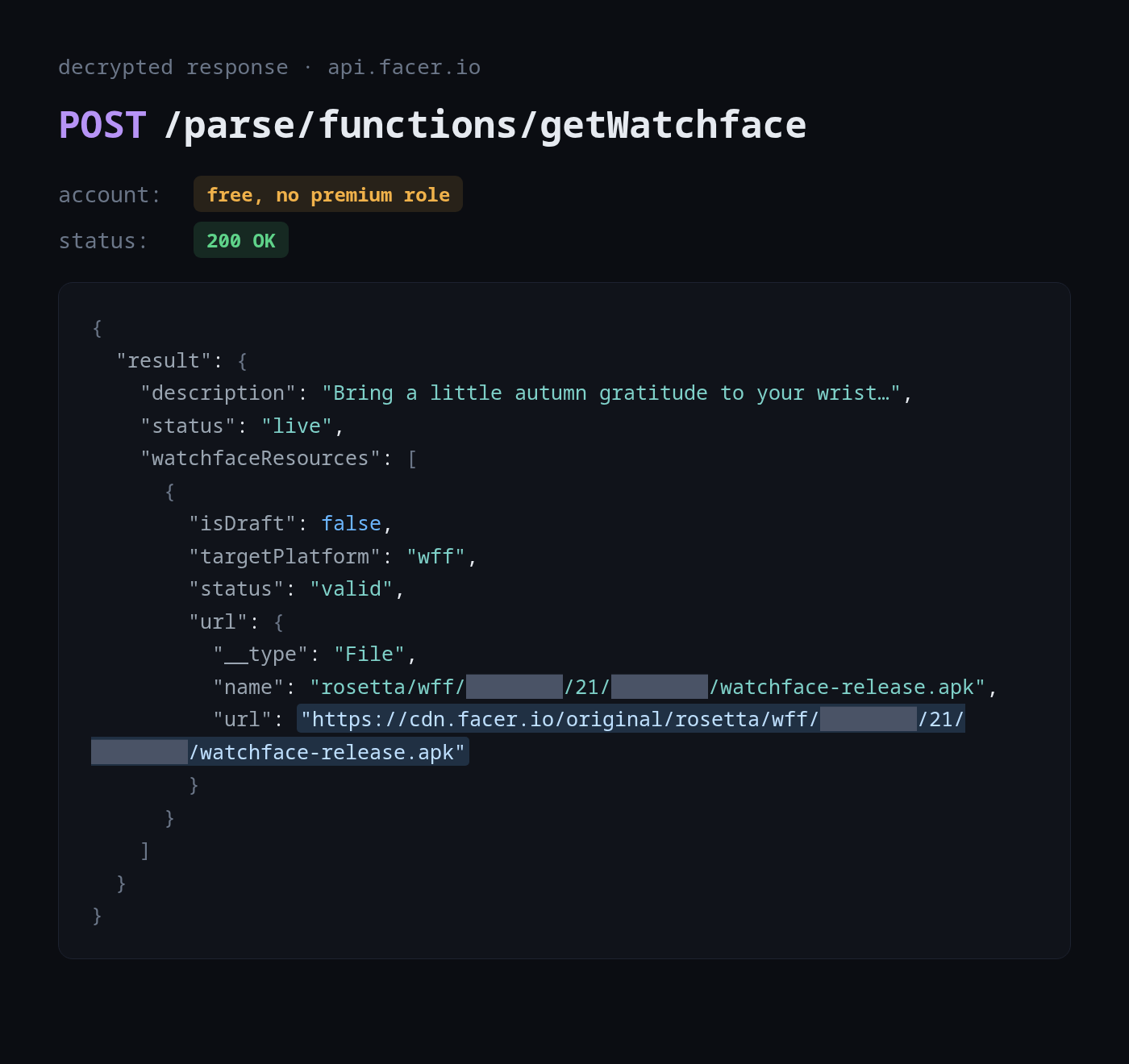
The weakness
The buy button works. The problem is behind it. The server tells an unentitled account exactly where the paid files are stored, and the file store hands them to anyone who has the URL. The app's lock is the only thing between a free user and the content, and it is drawn on a device the user controls. The paywall is enforced in the one place it cannot be: the client.
The fix
The fix is entirely on the server:
- Only include a face's download URL in a response to a session that owns it.
- Sign download URLs with a short-lived, session-bound token, and have the CDN or a gateway in front of it reject anything else.
- Check entitlement where the file is served, not where the button is drawn.
- Pin certificates in the release build as a second layer.
This was not limited to one face. I tried several other premium faces, each with its own CDN URL, and every one downloaded the same way, with no authentication.